For setting up the Local Area Pages details that can display Team information for each of your areas on your public Alert website, as seen here, you can access the setup options from within your admin account (if you have super user permissions), from: site configuration, then as below.
Access 'local area setup'
You'll then see your full list of areas as per those on the Alert system (West Mercia sample shown below):
For each of these areas, you can then use the option button to access the Local Area Information options:
Here you can add the introduction text that will display on the Team page, as well as assign the Team(s) who's members and engagement events should be shown on this page (or the individually selected admins):
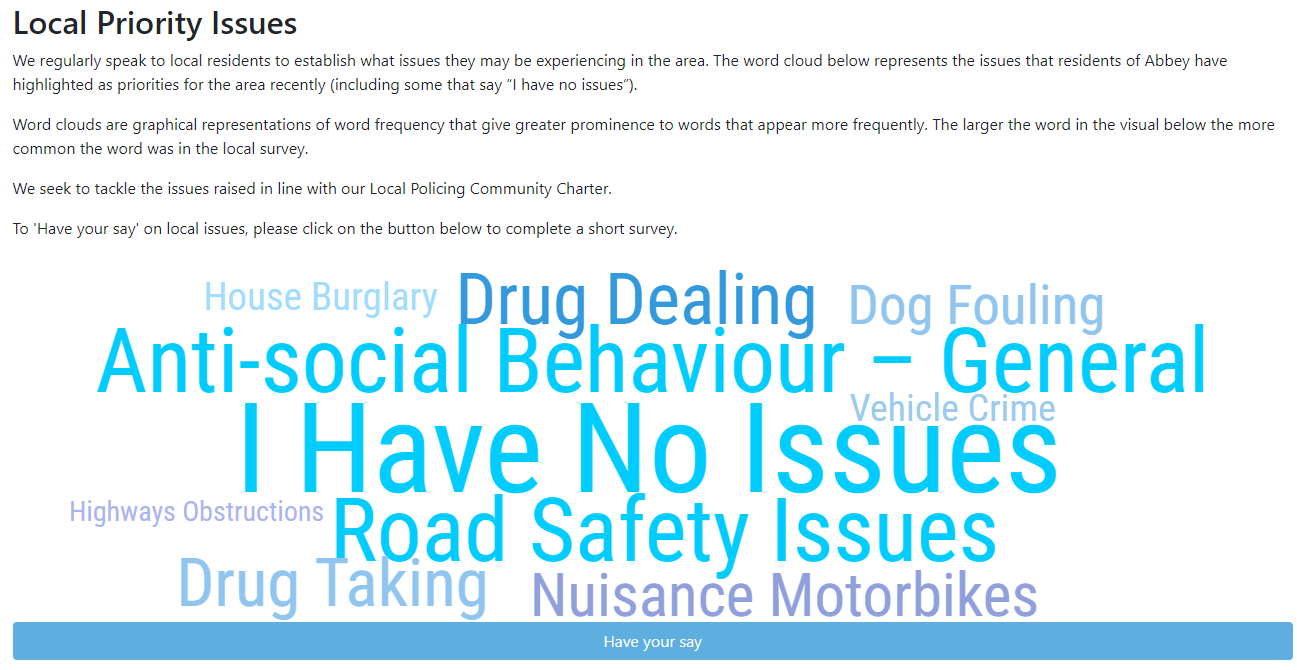
On the setup page, if you have a priority survey set up on the system, you can also choose one of your survey question to display the results for this area on the Team page too:
An example of how these results might display is shown below:
Setting Local Priorities
For your local area pages, you can also manually input 'Local Priority Issues' for that area, which can then be updated by a local officer, with reminders for this being sent on a chosen schedule:
Options accessed from the Local Area Setup page: on the Local Priorities tab, or from Local Priorities, as below:
New Priorities can be added on the screen below, using the 'Create a new Priority' option:
Then entering those details in the below format:
On the public page for the Team, these issues will then be shown under the Local Priority Issues heading, beneath the Team members details.
In the Local Area Information page, you can then select a local admin to give them access to update these priorities for their area directly from the Rapport admin area. You can also configure a regular reminder here to update these priorities.
For details on how your teams (officers, engagements, priorities) can also be automatically linked to your Single Online Home pages through our XML feed, please see our guide here
Comments
0 comments
Article is closed for comments.